The license file AnTherm.HID
All functions of the application have to be activated by applying the license activation procedure. If you do not have a license or didn't yet complete the licensing procedure or the license has expired, AnTherm will not work.
To fully activate all licensed program functions, you need to set the path to the license file AnTherm.HID when first launching AnTherm.
The information about the currently installed license and its validity can be checked in the About window which can be reached from the menu Help->About... .
License activation procedure
The license activation procedure consists of 2 parts:
- Acquisition of the license file.
- Installation of the license file.
Acquisition of the license file
If the activation of the end user license has not been executed yet, one has to apply explicitly for such activation. The vendor shall contact you by e-Mail shortly after the purchase of the installation package.
If you'd like to run AnTherm in demonstration-only mode, you can use the demo license distributed with AnTherm. You can download that file from the same Internet page you downloaded AnTherm from.
The license of the program is made non-transferable and bound to the
physical hardware identification (dedicated
hardware dongle, a physical Ethernet LAN network adapter card,
etc.).
From the data contained in
- four lines of customer header (heading all reports) and
- data on the hardware dongle or other physical computer hardware identifiers available for licensing
a license key is being derived.
Installation of the license file
After you received the license file,
- unpack the file from the archive if necessary and
- copy the license file without any changes into any user folder, public folder or onto network drive. (You may choose a folder for which you don't need special administrative rights to write to.)
When starting AnTherm for the first time, you'll be asked to provide the path to the license file. If you'd like to change the path later, you can do so via the extended application setting "Alternative license file AnTherm.HID" or "Alternative List of license files AnTherm.HID".
Important: We advise you to create a backup copy of your personalized license file AnTherm.HID to be able to restore it when required later.
If the installation fails for some reason you can copy the license file directly into the
installation folder of the
application (typically C:\Programs\tkornicki\AnTherm\ or C:\Program files\tkornicki\AnTherm\)
Important: Use this method only if the virtualisation of the installation folder (standard from Windows Vista on) has been
disabled by acquiring proper administrative credentials prior to executing the copy command.
Customer specific data (customer header)
Customer specific data of four text lines are printed in the heading of all reports.
In accordance with license terms and conditions of use the licensee is not allowed to hide, remove or change any of vendor and user data shown in result reports.
Exact content of four available lines of text can be defined by the customer. This allows placing of company name, address and other information on heading of all reports. One shall only keep these lines short to allow enough space for the optional customers' logo placed in the middle of each heading - 50 to 60 characters on each line shall be sufficient in most cases.
The data, prepared in the way shown below, shall be made available by e-Mail to the vendor:
Customer data (maximum of 4 lines, each by max of 60 characters long):

Line 1: ..............................................

Line 2: ..............................................

Line 3: ..............................................

Line 4: ..............................................

Hardware identification: .............................
Data provided shall identify the licensee truthfully and comprehensibly. The end user agrees that these data will be displayed in informational windows of the application and on all outputs produced by using this software. In accordance with license terms and conditions of use the licensee is not allowed to hide, remove or change any of vendor and user data shown in result reports.
Activating the license with a Hardware-Dongle
The activation with a hardware dongle adds mobility of the license between multiple computers - please verify the license terms on regulation of the ownership and the usage rights on one computer only.
| DONGLE-option: replaces the binding of the license to one specific computer with the binding of the license to the mobile hardware, the USB-Dongle, allowing alternating use of one license on multiple computers. |
 |
Remark: Hardware dongle activation is an additional option which shall be purchased in extension to the license.
The activation of the license is combined with the data of the hardware dongle and stored in the license file. The application is able to execute only if the applicable hardware dongle, which is specified in the personalized license file, is plugged into the USB port of the computer.
Before you execute the application please plug the hardware dongle into any USB port of the computer on which the software and the associated license file are installed. There is no need to install any additional software (e.g. device drivers) to use the hardware dongle with AnTherm.
If you'd like to move the hardware dongle to some other computer please save your application data at first, then close the application and, after this, unplug the hardware dongle from the computer finally.
Remark: Never unplug the hardware dongle while the application is running. This might lead to unpredictable behaviour of the application or of the whole system or even damage the hardware dongle itself.
Remark: Protect the hardware dongle against loss or damage to avoid eventual blocking fine and repair or replacement costs.
Activating the license bound to physical computer hardware
Activating the license by binding it to physical computer hardware identifier validates the license for this one specific device - please verify the license terms on regulation of the ownership and the usage rights on one computer only.
The activation of the license is combined with the data created out of the About window and stored in the license file. The application is able to execute only on the computer, which is specified in the personalized license file. In the case of computer failure or replacement the license activation procedure must be repeated - incurring additional blocking, change and maintenance fees.
Please pass all physical computer hardware identifiers available for licensing directly out of the About window via e-Mail to the vendor. See: About window.
Manual failure procedure
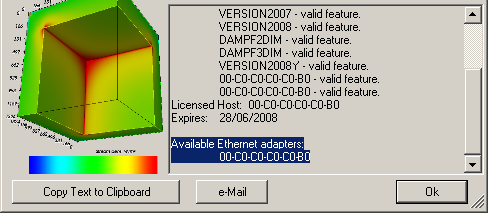
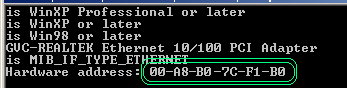
In rare cases a fallback to manual determination of device identification must be executed. Shall all the data passed fail to be available for licensing procedure the manual fallback identification based on physical MAC addresses of all Ethernet network adapters installed in the computer will be used. The physical MAC addresses of one (or even many) Ethernet network adapters installed in the computer are listed in the top part of the About window, shown just after the licensing information and the list of active active license features:
 Note:
To readout the MAC address one can also use a helper application adaptersAddresses.exe.
You will find adaptersAddresses.exe in the
installation folder of AnTherm.
Note:
To readout the MAC address one can also use a helper application adaptersAddresses.exe.
You will find adaptersAddresses.exe in the
installation folder of AnTherm.
Note: To readout the MAC address the system command "ipconfig /all" can be used also. Listing of MAC addresses shown with this command can contain virtual network adapters however which are not suitable as license identification of the machine. Therefore please use the output shown in the About window or with the tool adaptersAddresses.exe.
Demonstrational mode
During execution of AnTherm in its Demo-Mode several application functions are not available. This demonstrational behaviour can be turned off by purchasing a permanent or a time limited license.
The license file controlling the demonstrational mode is located in subfolder "DemoLicense"
of the installation folder.
Properties of typical demonstrational license are restricted to following application
features:
RESULTS, SOLVER, 3DIM,
30000CELLS. Furthermore, a demonstrational license can be restricted to
expire after some date.
- While in Demo-Mode the
About window will periodically pop
up. Each time the user must click it away manually.
-
The precision of results will always be worse then requested while in
demonstrational mode. The configuration of demonstrational mode
targets short computational times at the expense of precision loss! The Demo-Mode's
termination condition
(the Delta) is set to 10-4 (0.0001); higher precision (required for
conformity with valid norms) will be reached with terminal condition starting
at and below 10-7 (0.0000001).
For that reason physical interpretation of results produced with demonstrational version is not reasonable! The software will show a warning message if the user tries to create more precise results by reducing the termination condition:
The termination delta of the Solver-Engine has been reset to 0.0001.
The demonstration license targets towards short computational time.
The results are being computed faster but the precision might suffer.

You shall upgrade your license if you wish to obtain more precise results.
Please contact the manufacturer or reseller of this application
to acquire full featured license.
- In Demo-Mode all pictures copied to the clipboard or saved to file will be watermarked with a text „Demonstration“.
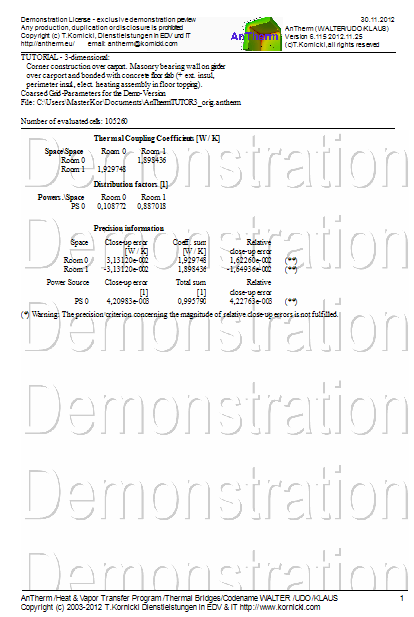
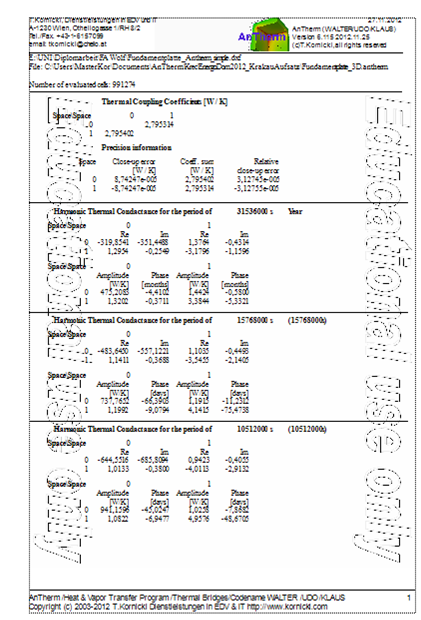
- In Demo-Mode all result reports are watermarked with a text „Demonstration“.
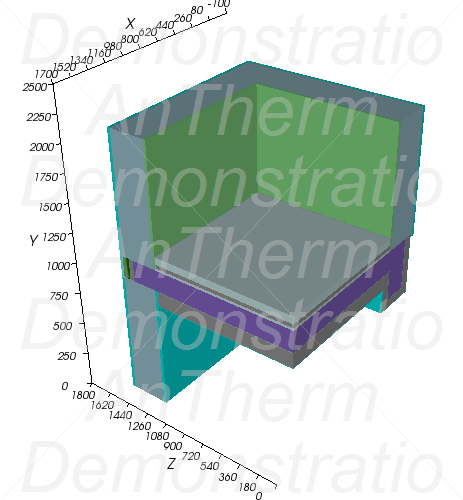
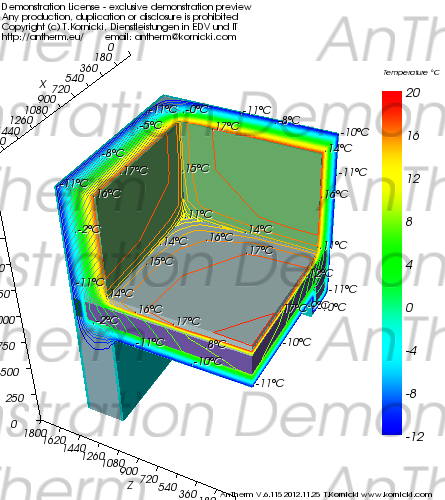
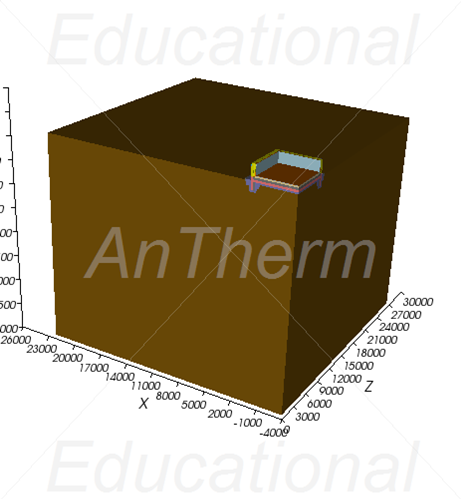
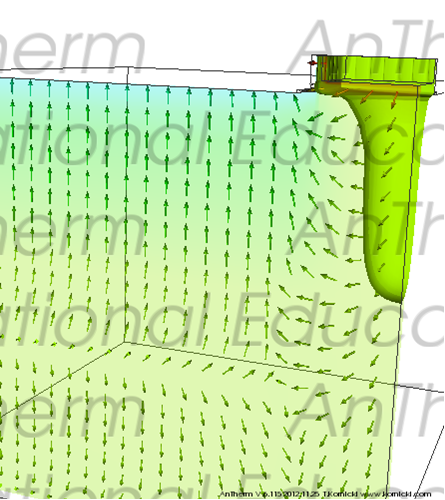
- In Demo-Mode all 3D pictures will be overlapped transparently with a text „Demonstration“; The license information is shown at the upper-left corner of the image also.
- In Demo-Mode all save and export functions of reports are not available.
Note: If the license is invalid (for example it has expired) intervals of About-window popup will become shorter and after 5 minutes the application will exit.
Note: Projects save a flag if executed in demo mode (DemoModeApplied). After license upgrade the termination delta will be reset to reasonable default value (SolverParameters.DemoModeRevertToNormal).
Features
Which application functions are covered and active within your license is defined within the license file by following feature entries:
- 2DIM – calculation of 2-dimensional constructions (2D)
- 3DIM – calculation of 3-dimensional constructions (multi-Layered
or 3D)
(without 3D license there is no 3D editing/processing: disabled menus: File->New, File->Convert, File->Import, nor saving of 3D/3DS ) - RESULTS – executing the menu Results…
- EDURESULTS – executing the menu Results… with a watermark "Educational"
- DEMORESULTS – executing the menu Results… with a watermark "Demonstration"
- SOLVER – executing the Solver
- 10000CELLS – executing the Solver up to 10.000 cells
- 30000CELLS – executing the Solver up to 30.000 cells
- 50000CELLS – executing the Solver up to 50.000 cells
- 100000CELLS – executing the Solver up to 100.000 cells
- 300000CELLS – executing the Solver up to 300.000 cells
- 1000000CELLS – executing the Solver up to 1.000.000 cells
- ANYCELLS – executing the Solver without cell limit
- VERSION201309 – required for execution from Version 7.124 on
- NODEMOPOPUP – suppress periodic popup of About windows when in Demo-Mode.
 VAPOUR-Option specific
features:
VAPOUR-Option specific
features:
- DAMPF2DIM - solving two dimensional vapour diffusion
- DAMPF3DIM - solving three dimensional vapour diffusion
HARMONIC/TRANSIENT-Option specific features:
- HARMONIC - solving of the harmonic, periodic, transient
heat transfer (e.g. phase shift, harmonic coupling coefficients,
etc.).
Allows solution for only 1 (first) harmonic for the selected period to be calculated. Only harmonic thermal conductances will be output. Other evaluations are executed with steady state solution (i.e. 0-th harmonic) and steady state boundary conditions (Results, ProbePoints, Results3D). - TRANSIENT - in addition to
HARMONIC allows solving and evaluating the transient problem with time dependant,
variable, periodic boundary conditions with higher harmonics.
Allows free entry of higher number of harmonics to Solver, specification of Periodic Boundary Conditions and executing Time-Based evaluations (Timeline, Results3D Animation). The Results, ProbePoints and Results3D are calculated for some chosen Time-Point (SharedTime) also set within boundary conditions (and it "includes" HARMONIC by its nature!).
Additional Features:
- MULTICORE - performance improvement by executing solver distributed on multiple
processors or processor cores, eg.:
- Solving the equation system(s) - the Solver
- Loading the solution vectors from files in solution folder
- Combining steady and transient state solution vectors at specific boundary conditions (superposition)
- Harmonic Fourier analysis and synthesis of periodic boundary conditions
- Fourier synthesis of time dependant solutions
- Creation of results data for 3D visualization (primary and secondary functions), timelines and animation
- STEREO3DVIEW - allows choice of binocular 3D views on supported devices
Vapour diffusion solution (VAPOUR-Option)
| VAPOUR-option: Analysis of multidimensional vapour diffusion is only possible with an active VAPOUR-Option of the program.. |
 |
See also: Installation of the program, License terms and conditions of use, System requirements, License order form, Application setting "Alternative license file AnTherm.HID", "Alternative List of license files AnTherm.HID"
"Educational" watermark
"Demonstration" watermark)