Starting the application - main windows
Start the application by navigating within windows menu Start→Programs→AnTherm→AnTherm.
If the application's installation has been completed successfully, the main window is shown with further work windows embedded in it.
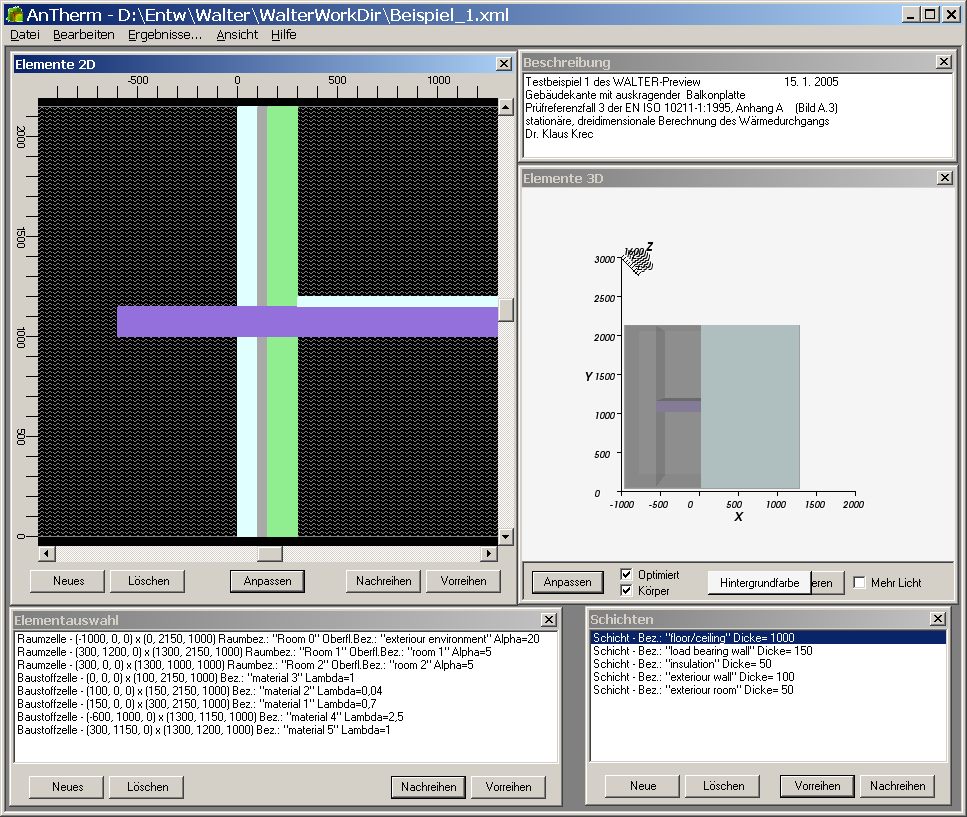
All windows of AnTherm are shown on screen exactly at same positions as they were saved at earlier execution of the application.
Windows initially shown and their initial positions are preset according to the template included in the installation. All windows can be moved freely. This allows the user to arrange the screen area according to his needs.
Remark: The graphical user interface (GUI) of the application is initially presented in the Language set for the operating system (Standard/Default Language). This can be changed. Use the menu Edit→Settings... ( or Bearbeiten→Einstellungen...) and within the setting dialog change the User Interface Language (or Sprache der Benutzeroberfläche). If the language requested cannot be provided by the program (current distribution contains English and German), AnTherm will show in English.
| Position the windows and adjust their size according to your needs. | The application saves window positions into
settings file AnTherm.exe.Settings.xml.
Deleting this file will reset all application settings to its initial state
- including window positions.
We have provided some template settings with the installation. |
| During application's start-up the template project file projekt.xml has bean loaded automatically. | If there is a
file named projekt.xml
within the applications installation folder it will be loaded automatically.
You can use this file as a template project, containing some standard text and material definitions available immediately in the program. This behaviour can be changed by within application's settings, by requesting automatic load of latest project edited. |
| The main window
of the application contains the menu bar of all application's functions.
If required, move the menu bar to the position on the screen not obscured by other windows. |
Via the
menu File you
create new or load existing projects and save them to project files - and
you exit the program form this menu.
The menu function File→Import… provides import function of WAEBRU.?BT components or the import function from DXF files and from other supported data formats. The menu Results… will lead you directly to results for the current project – to several reports and 3-dimensional graphical evaluations. If there are no results available yet the calculation is performed automatically. |
| For a new project you decide if it shall be 2-dimensional or 3-dimensional. | With the menu
File→New you
create new projects.
Within the creation step you define the project type by deciding if it will be a 2-dimensional or 3-dimensional model and calculation. |